ReviewQR
Free review QR code generator for more Google reviews
Print a “scan to leave a review” QR standee for your counter. Customers scan, pick an AI-written review, and post on Google in seconds.
Personalised AI reviewsFree for 15 daysWorks worldwide
Print. Place. Collect 5-star reviews.
Watch how fast you can create and display your Google review standee
Download. Print. Get reviews.
High-res designs for paper, acrylic, or vinyl — put them where customers already pause.
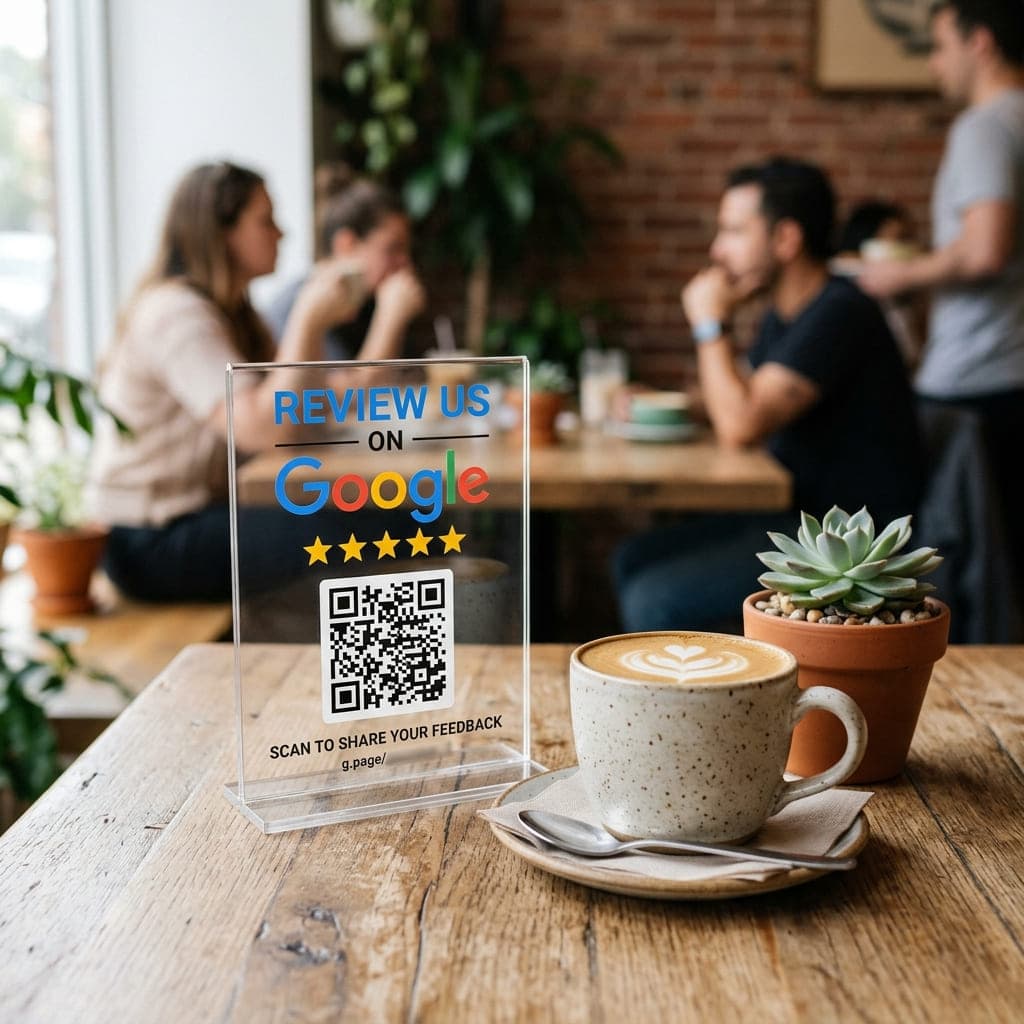
Table standees
4×6 acrylic on tables. Guests scan while they wait.
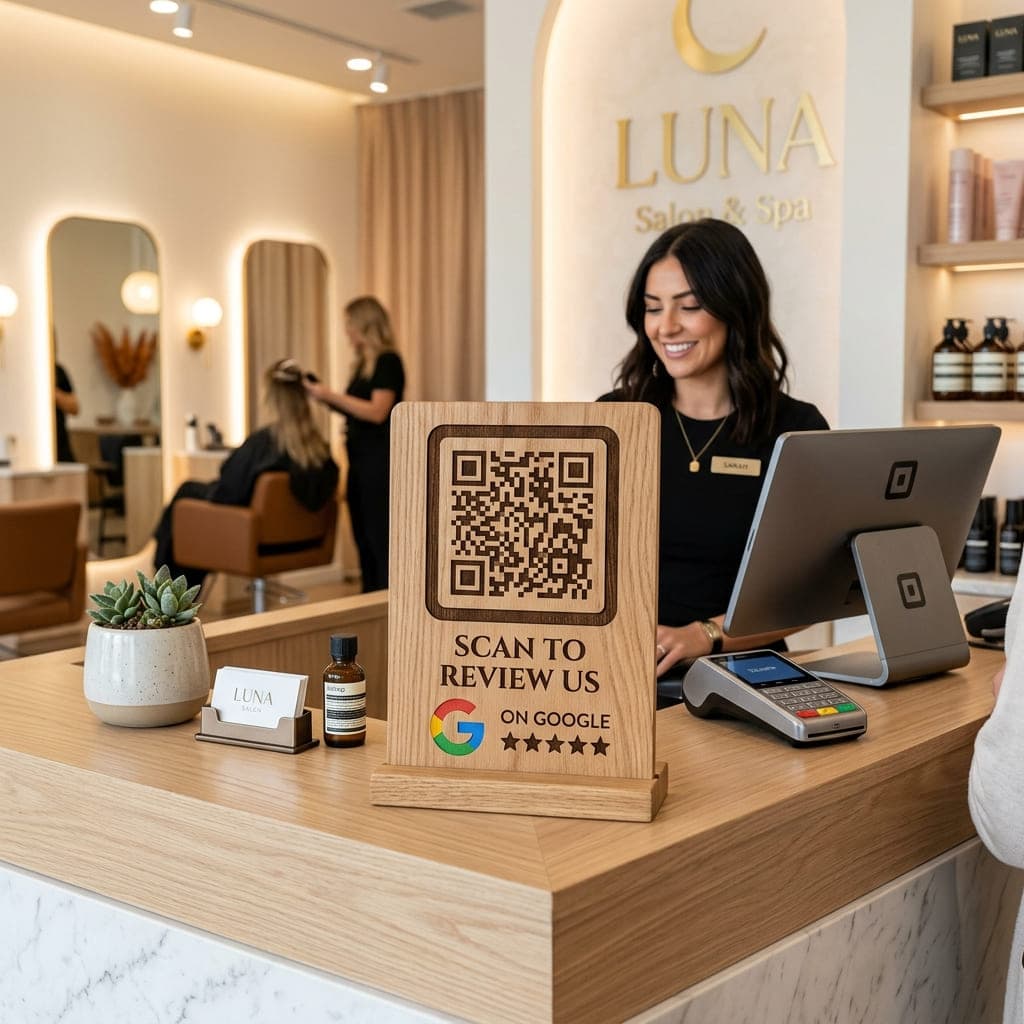
Counter display
Checkout is the highest-intent moment for a review.
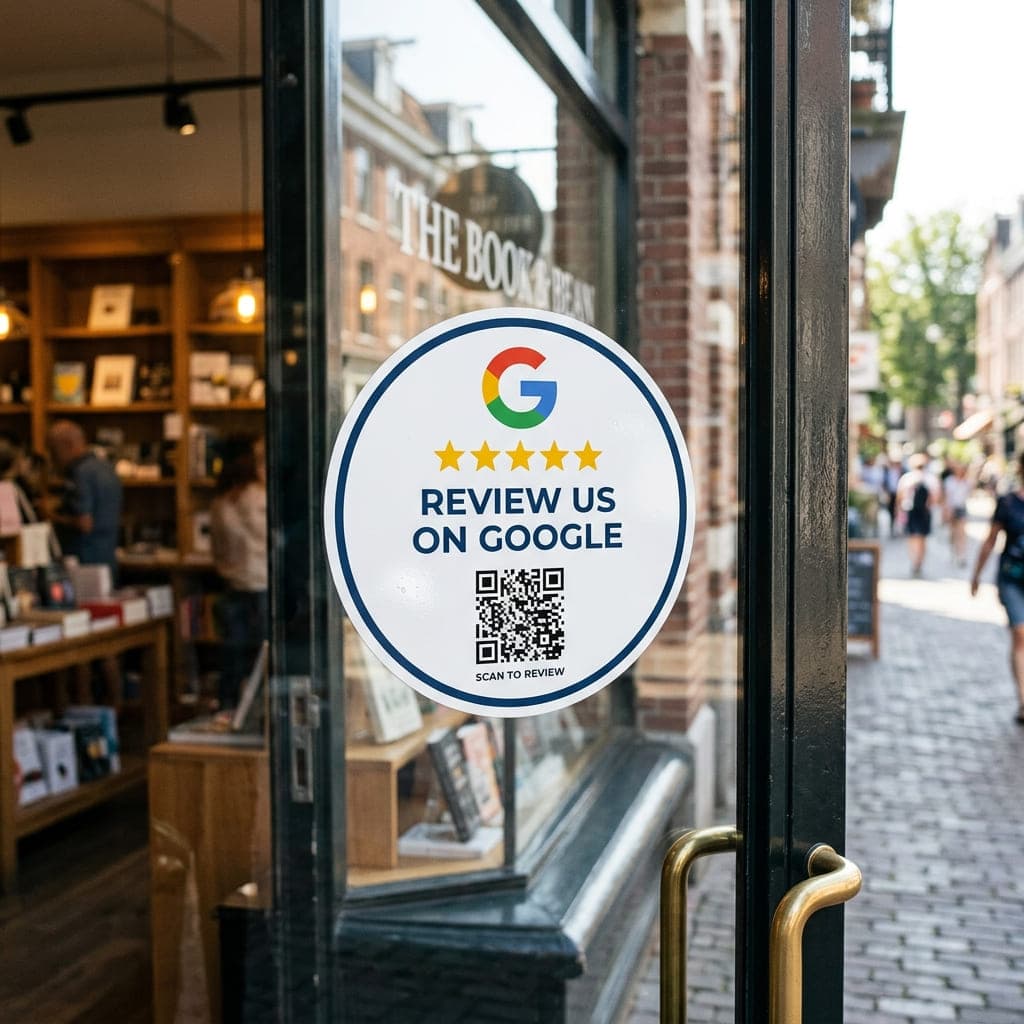
Window stickers
Show your rating before customers even walk in.
AI-powered customer reviews
Customers don't stare at a blank review box
After they scan your QR, customers tap which service they used and what they liked. ReviewQR writes reviews about their actual visit. They tap to copy, open Google and paste, and the review is done in under a minute.
- AI writes 3 natural review options for your business
- Personalised: mentions the services, highlights and staff you add (Pro & Agency)
- 21 languages: हिंदी, मराठी, தமிழ், 中文, Français and more
- One tap to copy, then paste on Google Reviews
Personalised AI reviews
Tap one to copy & paste
Customer picked
“Had my root canal done in a single sitting and it was completely painless. Thank you Dr. Rao!”
“Was nervous about the root canal, but Dr. Rao made it so easy. Friendly staff and a spotless clinic.”
How it works
Search, print, and let AI help customers finish the review.
Search Your Business
Type your business name and city. We find your Google Maps listing automatically.
Get Your QR & Standee
Print the standee, then add an NFC sticker with the same link for tap or scan.
AI Helps Them Review Faster
Customers scan, pick an AI-written review, copy, and paste on Google in seconds.
- Search Google Maps → get a 1-tap review link
- Personalised AI reviews that mention your real services
- Print-ready PNG & PDF standee downloads
- Works for any business on Google Maps, worldwide
Run review QR codes for all your clients
Everything in Pro, plus team logins, client dashboards, billing and payment collection, built for marketing agencies and resellers.
Unlimited QR codes & standees
Create as many review QR codes as you need, for every client and every location, with all Pro customisation.
Team logins with safe permissions
Staff log in with their own account, add clients and QR codes, and see only what they create. You see everything and filter by team member. Only you can change billing or approve payments.
Client logins & dashboard
Each client gets their own login to see scans, Google rating and latest reviews for just their QR codes, and download their QR and standee files.
Client billing tracker
Set a plan, price and due date per QR, bill each client in their own currency, and keep a full payment history in one place.
Get paid by clients
Add your UPI ID, payment link, PayPal or bank details. Clients see them in their dashboard, pay you directly and tap "I've paid", then you confirm or reject in one click.
Auto-block after 15 days overdue
If a client hasn't paid 15 days after the due date, their dashboard locks automatically and they get an email with the amount due. Payments stay open so they can settle up.
Email alerts for the owner
Get an email when a client reports a payment, or when a team member adds a new client or QR code, so nothing slips past you.
Per-QR analytics & rating
Filter analytics and Google rating tracking by QR code to see exactly how each client or location is doing.
White-label standees
Replace "Powered by ReviewQR" with your own brand and put the client's name on the standee footer.
Phone & WhatsApp support
Talk to a real person when you need help onboarding a client.
Guides to get more Google reviews
Practical playbooks for restaurants, salons, standees, and Place IDs — plus the free generator.
Free review QR code generator
Create a print-ready review QR in under a minute.
"Leave us a review" QR code
Sign wording, where to place it, and a free template.
Automate Google reviews for SEO
QR workflows, follow-ups, and AI prompts that stay compliant.
Free Google Review QR guide
How free QR codes work and when to upgrade.
QR codes for restaurants
Table tents, billing folders, and staff prompts.
QR codes for salons & spas
Reception and checkout placements that convert.
How to print a review standee
Sizes, materials, and counter display tips.
Static vs dynamic review QR codes
Which type to use for Google reviews.
What is a Google Place ID?
Find your Place ID and build a direct review link.
Need something built like ReviewQR?
One9Tech builds fast, modern websites and web apps for startups and local businesses — from landing pages to full SaaS products.
- Custom web applications
- SaaS & product builds
- Landing pages & marketing sites
- API integrations & dashboards
Questions? We've got answers.
Everything about review QR codes, “leave us a review” standees, pricing, and getting more 5-star Google reviews.
Read the full guideA review QR code is a QR code that opens your business review page when a customer scans it with their phone camera. ReviewQR makes review QR codes for Google: one scan opens the Google Maps "write a review" box for your business, so customers can leave a star rating and review without searching for you.
Our tool generates a direct link to your business Write a Review page on Google Maps. We convert this into a high-quality QR code — customers scan it and go straight to the review form.
Search your business name in the ReviewQR generator, pick your Google listing, and download the QR code or a print-ready standee. The standee already says "Tap or Scan to Review Us on Google Maps", so you can place it on your counter, tables, reception desk, bills or packaging. It works for any business: restaurants, salons, clinics, shops, hotels and services.
Yes. ReviewQR is our product name and getreviewqr.com is our website. You can create your review QR code free for 15 days, and paid plans add AI review suggestions, standees, analytics and agency tools.
On Starter and above, customers who scan your QR see a branded page with AI-written review options. They tap to copy, open Google Reviews, and paste — so they finish faster instead of staring at a blank box.
Yes, on Pro and Agency. Add your services, highlights and staff names to each QR (or auto-fill them from Google). Customers tap which service they used, what they liked and who helped them, and the AI writes reviews about that visit in the languages you choose: 21 options, including English, Hindi, Marathi, Tamil, Mandarin and French. It only uses details you add, and customers can always skip or write their own.
You can try it free for 15 days. Your free QR code works for 15 days from when you create it, and we email you before it stops. Paid plans keep it working and unlock print-ready PDF standees, custom branding, AI review suggestions, and analytics.
Place a standee at your billing counter or on tables, and use AI suggestions so customers can post in seconds. Timing after a good experience is what drives reviews.
None at all. Search your business, click download. Done in under 60 seconds.
ReviewQR पर अपने बिज़नेस का नाम सर्च करें, अपनी Google लिस्टिंग चुनें और QR कोड या स्टैंडी डाउनलोड करें। ग्राहक QR स्कैन करते ही सीधे आपके Google रिव्यू पेज पर पहुँच जाते हैं। पहले 15 दिन फ्री हैं, और पेड प्लान में हिंदी, मराठी, तमिल समेत 21 भाषाओं में AI रिव्यू सुझाव भी मिलते हैं।
Yes. Google ranks local businesses higher when they have more recent, positive reviews. More reviews can improve your position in Google Maps and local search.
GetReviewQR works for any business listed on Google Maps, anywhere in the world. We support payments in INR and USD.
Yes. The Agency plan gives you unlimited QR codes, team logins for your staff, white-label standees, and a login for each client to see their own scans, Google rating and reviews. You can also track client billing, share your UPI, payment link, PayPal or bank details, and confirm payments when clients tap "I've paid".
If a client payment is still unpaid 15 days after the due date, that client's dashboard is locked automatically and they get an email with the amount due. They can still pay and report the payment, and access returns as soon as you confirm it and move their next due date forward.
Every QR code keeps working for 15 days after expiry. We email you 3 days before they stop, and after that they are paused until you renew. Nothing is deleted, and renewing brings all your QR codes back instantly.
Still stuck? Our team usually replies within a few hours.
Contact supportReady for more reviews?
Free QR to start. Upgrade for AI review suggestions that help customers post faster.
Generate my free QRNo credit card · Free for 15 days